Digital tools for freelancers are no longer optional in 2025—they’re essential add-ons to strengthen professional growth. These solutions have become a pillar for organizing and automating projects, communicating, and invoicing efficiently.
Nowadays, leaving them aside is nearly impossible because they simplify and optimize your work. That’s why today we’ve listed the digital tools for freelancers in 2025—key to staying competitive in the global market.
Today, digital tools are necessary to deliver quality service as a freelancer—especially because they’re flexible resources for working from anywhere and they boost productivity.
Many of these freelancer apps 2025 concentrate their functions in a single workspace, allowing you to:
Manage projects more efficiently.
Automate repetitive tasks.
Control your finances.
Measure productivity in real time.
As a result, they simplify delivering quality outcomes and help you grow as an independent professional. The thing is, there’s an endless number of useful remote-work tools for freelancers in 2025.
But in the following sections we’ve grouped them by the needs you might have.
Productivity and organization tools
These platforms help you plan better, prioritize tasks, and stay focused on your projects.
Evernote: useful for quick notes and organizing ideas.
Many of them also work as freelance collaboration tools, optimizing independent work and avoiding distraction.
Project management tools
Project-management apps let you coordinate tasks, organize deliverables, and work in a structured way.
Some examples include:
Trello: organizes tasks on Kanban-style visual boards.
Monday.com: plans projects with custom views and clear workflows.
ClickUp: useful for managing complex tasks and collaborating with teams in one space.
Asana: coordinates projects and tracks each work phase.
Basecamp: practical for small teams that need communication and management in a single app.
According to software-review platform G2, Asana, monday.com, and ClickUp stand out among the top-rated in 2025.
Communication and collaboration tools
Real-time communication and collaboration are essential for any remote freelancer—whether meeting with clients or working with a team.
The following tools make both easier:
Slack: serves as instant messaging and work-channel management.
Google Meet: useful for quick, easy-to-schedule video calls.
Discord: ideal for communities or creative teams needing chat and voice.
Zoom: popular for virtual meetings and presentations.
Microsoft Teams: combines chat, video calls, and file collaboration.
Google Workspace: for collaborative work.
These platforms let you hold meetings, send quick messages, and collaborate on documents or projects regardless of distance.
Design and creativity tools
Professionals producing visual materials face a highly competitive market every day—this includes freelance graphic designers, marketers, branding specialists, content creators, and video editors.
That’s why they should choose creative apps for freelancers such as:
Canva: creates visual assets easily—ideal for beginners.
Figma: allows interface design and collaboration on UX/UI projects.
CapCut: useful for editing short videos, reels, and social content.
Photoshop: offers advanced image editing and photo retouching.
Illustrator: specializes in illustrations, logos, and vector design.
Adobe Express: practical for quick graphics and custom templates.
This way, you can rapidly produce visuals, interfaces, and audiovisual content professionally.
Finance and invoicing tools
In 2025 it’s also important to have tools to manage income, payments, and your accounting as a freelancer.
Some freelance invoicing apps you can use in Mexico are:
We live in an era where technology plays an essential role in how we communicate, learn, work, and advance professionally. That’s why digital tools for freelancers 2025 are key to staying competitive in an increasingly demanding market—especially with Latin America’s sustained growth in recent years.
The key is to choose what best fits your profile and type of work, since each tool serves a specific purpose—from improving productivity and project management to maintaining smooth communication and creating compelling visual content.
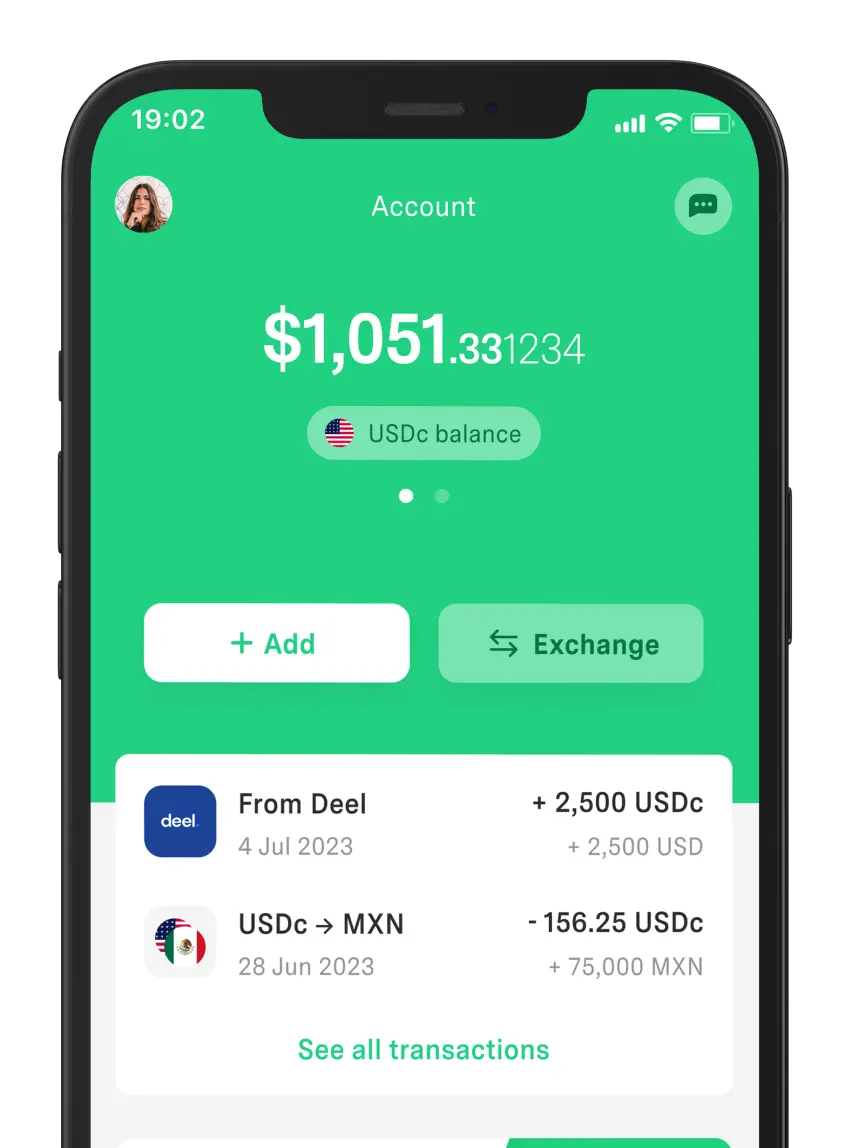
All of them are indispensable allies for working in a more organized, efficient, and competitive way. Likewise, DolarApp is a financial alternative for managing your freelance income—especially if you need to receive payments from the U.S. or Europe, since we work with digital USDc and EURc accounts.
Frequently Asked Questions
What’s the best productivity app for freelancers?
It depends on what you need and what each tool offers. If you want a complete space to organize projects, notes, and tasks, Notion is a great option. For simple, quick lists, Todoist works better.
Which app should I use to invoice in Mexico?
To issue CFDI easily and from any device, Facturama is a popular option. You can also choose Konfío Facturación or Billpocket, since they let you integrate invoicing with payments and keep everything compliant with the SAT.
Which financial tool makes it easier to get paid in dollars?
DolarApp stands out because it supports international payments in both digital dollars and digital euros. It’s available for freelancers in Mexico and allows currency conversion at a market-aligned exchange rate.
What’s the most practical design app if I’m not a designer?
Canva is one of the most accessible platforms thanks to its pre-designed templates and easy-to-use editor. Adobe Express also offers user-friendly resources for social media.


 Freelancer tips