In the digital world, having an attractive site or app isn’t enough. The key is user experience (UX), because it tells you how a person interacts with your product.
But what is user experience?
It’s the perceptions, emotions, and responses a person has when interacting with a product, service, or system. A UX covers the entire journey: from the first time someone discovers your brand to the moment they purchase.
Want to know more?
Read to the end. You’ll find what user experience is, how it differs from user interface (UI), its elements, importance, and steps to improve it.
What Is User Experience (UX) and How to Improve It
What Is User Experience (UX)?
User experience (UX) is the way a person perceives, feels, and responds to a product or service while using it—from functionality (how easy it is to use) to the emotions it sparks (trust, comfort, and clarity).
In addition, UX connects the digital with the physical—apps, websites with shipping, support, or any touchpoint where the user interacts with the brand.
What’s the end goal?
To offer experiences that are useful, intuitive, and pleasant so you can guarantee user satisfaction and strengthen their relationship with the brand.
User Experience (UX) vs. User Interface (UI)
What you need to know when comparing UX vs. UI is that they describe different parts of the same digital experience, but they complement each other:
UX design. Analyzes the user’s entire journey and how they live the experience, from first contact to the final step.
UI design. Focuses on the visual aspect (colors, buttons, typefaces, icons) and the aesthetic arrangement of every on-screen element.
In short, UX centers on how a person feels when using a product, while UI defines how it looks.
Why Is User Experience So Important?
When UX is well thought out, the product or service is more pleasant for the consumer. At the same time, it improves business results and positioning against the competition.
Put differently, good UX makes a big difference in several ways:
Fosters customer satisfaction and loyalty
A better user experience increases satisfaction and, in turn, boosts customer loyalty. It also encourages them to recommend your product and use it again. But if it’s confusing, it will likely cause churn, complaints, and frustration.
Reduces support and development costs
If the product or service is clear from the start, the user needs less help, which reduces the number of fixes.
At the same time, it simplifies the work of Frontend, Backend, and Full-Stack teams, who can focus on real improvements instead of rework.
Impacts conversions and revenue
When a landing page is well structured and processes feel natural, conversions tend to rise and business results improve. This applies to companies as well as independent professionals.
For example, if you work on your own, good UX helps you communicate your offer more effectively. As a result, you begin to attract more clients and earn more because they trust your value proposition.
Competitive differentiation
With solid UX, it’s easier to retain customers and stand out in markets where offerings are practically identical.
Improves how you present your work or services
Good UX also benefits those who showcase their work online. It makes it easier for people to understand what you offer and navigate your content effortlessly. To achieve this, you need well-organized portfolios that capture the attention you want.
Key Elements of User Experience
Building a complete and coherent UX requires elements such as:
Utility. The product/service must deliver real value—that is, solve a specific user problem or meet a specific need.
Usability. Evaluates how simple it is to understand and learn to use a product/service or complete actions without confusion.
Accessibility. Ensures anyone can interact with the product/service. This includes adjustments like proper contrast, legible type, keyboard navigation, and screen-reader support.
Desirability (emotional). Aim for the product to generate a positive reaction. The aesthetics, communication style, and small design details help to create closeness and inspire confidence in the user.
Consistency. Maintains the same visual and interaction rules throughout the journey so the user can recognize patterns and always know what to expect.
Every detail (functional, emotional, and visual) works together to guarantee user satisfaction. The result is a product/service that’s intuitive, more reliable, and more impactful in users’ day-to-day lives.
How to Design and Improve User Experience (Step by Step)
Creating an effective UX requires implementing people-centered strategies designed to improve with each iteration. This involves following a clear process that essentially consists of:
Talk to them, observe how they use the product, and analyze data.
Use interviews, surveys, behavior analysis, or heatmaps for support.
The goal is to identify real needs, motivations, and obstacles to design better problem-solving strategies within their experience.
2. Track the user’s full path
Investigate how they discover your brand, navigate, purchase, and receive support. This will help you spot friction points, frequent questions, and key moments where you can improve the experience.
3. Design the information architecture and define flows
Content and steps in UX design must be logical—ordered menus, categorized sections, and simple paths.
The idea is for users to find what they’re looking for with the least possible effort.
4. Shape ideas with wireframes and prototypes
If you already have an idea, it’s time to turn it into something tangible.
Start with simple wireframes (structural sketches) to define layout and information order. Then create more detailed prototypes that simulate real interaction.
5. Run usability tests
Ask real people to use the prototype while you observe where they pause, what they don’t understand, or which steps are confusing. Their reactions will show you what to adjust.
6. Improve continuously with each iteration
Once you test the design, make adjustments based on what you learned, test again, and repeat.
User experience is never “finished.” Each new test provides data to refine details, remove friction, and keep the product aligned with your customers’ needs.
Examples of Good and Bad User Experience
Good UX (simple examples)
A food-delivery app where you order quickly, see order status, get help without hassle, and the delivery arrives on time.
A platform where you find content that genuinely interests you and can resume exactly where you left off.
Bad UX (simple examples)
A website that loads slowly and uses overly long forms, creating frustration and abandonment before checkout.
A banking app where basic functions are hidden and it’s hard to find what you need.
A single poorly handled detail—like a payment error or a confusing step—can be enough to keep a user from returning.
What Does a User Experience (UX) Designer Do?
A UX designer ensures a product/service is clear, useful, and pleasant to use. They need to understand how the user thinks and adapt every part of the design to simplify the experience from start to finish.
In short, typical UX designer tasks include:
Using the right methods to deeply study the people who will use the product/service.
Organizing content and deciding the path the user will follow within the product.
Designing sketches and prototypes to visualize how the experience will work before development.
Testing the design to make changes based on what users do and say.
Of course, they don’t work alone—they partner with UI designers, developers, and marketing and product teams. This ensures the final experience is coherent, functional, and technically feasible.
Conclusion
User experience goes beyond aesthetics—it defines how a person lives every interaction with your product or service. Taking care of it lets you create solutions that are useful, simple, and pleasant, whether for a website or an app.
What’s more, working on UX is a continuous process that requires observing, testing, and adjusting, putting the user at the center of every decision.
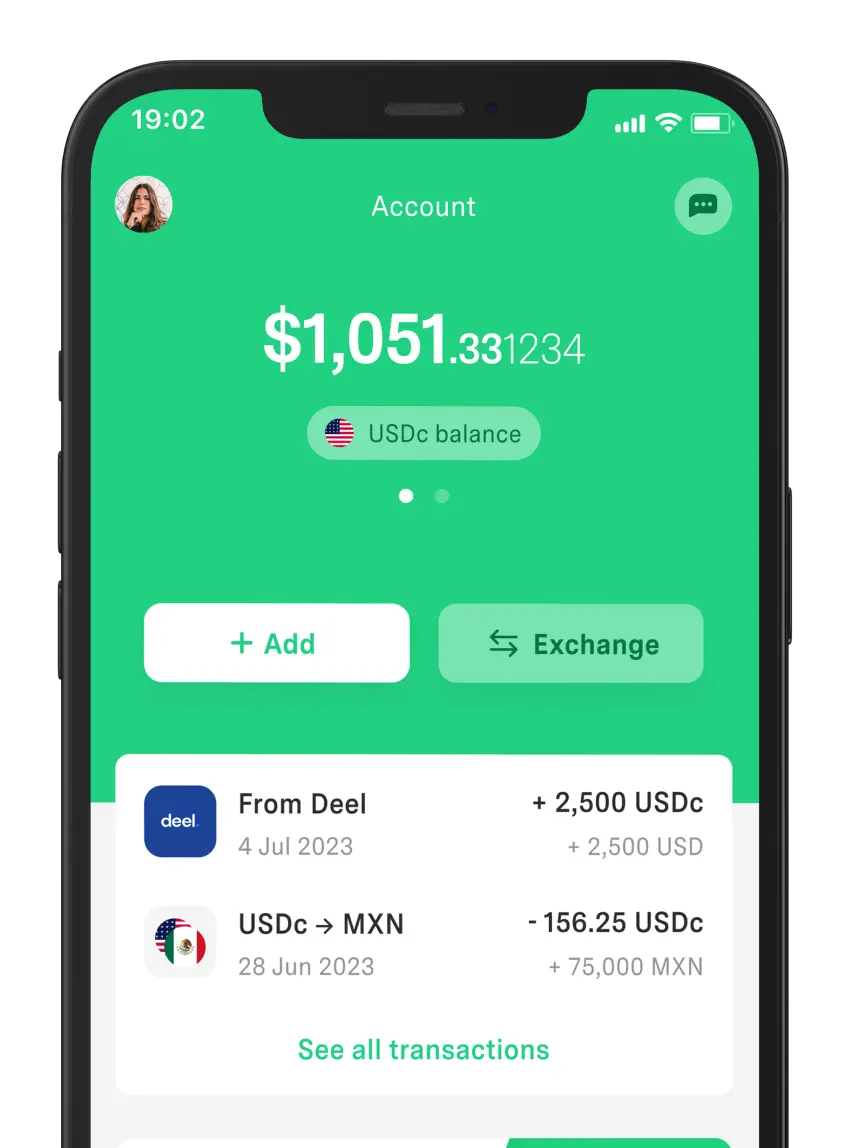
If you have a digital business and charge international clients, you don’t just need a good UX on your site. It’s also essential to have an app like DolarApp, which lets you receive USDc/EURc and exchange currencies at a fair rate.
This can make the difference between a customer who returns and one who leaves.
Frequently Asked Questions
What is user experience (UX) in simple terms?
It’s how a person feels and understands a product—whether it’s clear, easy, and pleasant, or whether it complicates and frustrates them. It also covers how they move through each step until they achieve what they want.
Why is user experience so important?
Because it improves satisfaction, retention, and conversions, which builds trust and desire to return. Meanwhile, poor UX tends to cause complaints and customer loss, pushing them toward the competition.
What’s the difference between UX and UI?
UX analyzes user emotions and behaviors from beginning to end. UI, by contrast, focuses on the visual design and the elements the person interacts with.
Do only big companies need to work on UX?
UX adds value to any project, regardless of size—large companies, small businesses, freelancers, shops, or digital ventures. The result includes less friction, more clarity, and greater user trust.
How can I start improving my website or app’s UX?
Start by observing how your users navigate and identify the steps where they hesitate or stop. Then simplify those points, make small adjustments, and test again to see if the experience improves.


 Freelancer tips